Showing posts with label iMovie. Show all posts

Wednesday, March 25, 2015

Involve Your Students in Their Learning


The title of this post sounds funny, right? Involve students in their learning? Don’t we do that already? Let’s take a look at what it means to truly involve students in their learning.
I’m sure you have all heard some version of the Benjamin Franklin quote above. With today’s students, living in a fast paced world, this quote is something to keep in the back of your mind when crafting engaging lessons. If there is any way to get students truly engrossed in their learning and reflecting on what they learned, you will see much better results with engagement and retention.

Recently, in Bethany Klone’s 3rd grade classroom students began work on the following math standard: Comprehensive Geometric/Measurement. How does a teacher go about teaching this concept and how does the teacher make it meaningful for the students? Involve them in the learning process.

Here is an example of how this was done with teachers Bethany Klone (@BLKlone) and Joel Scholten at Two Springs Elementary.

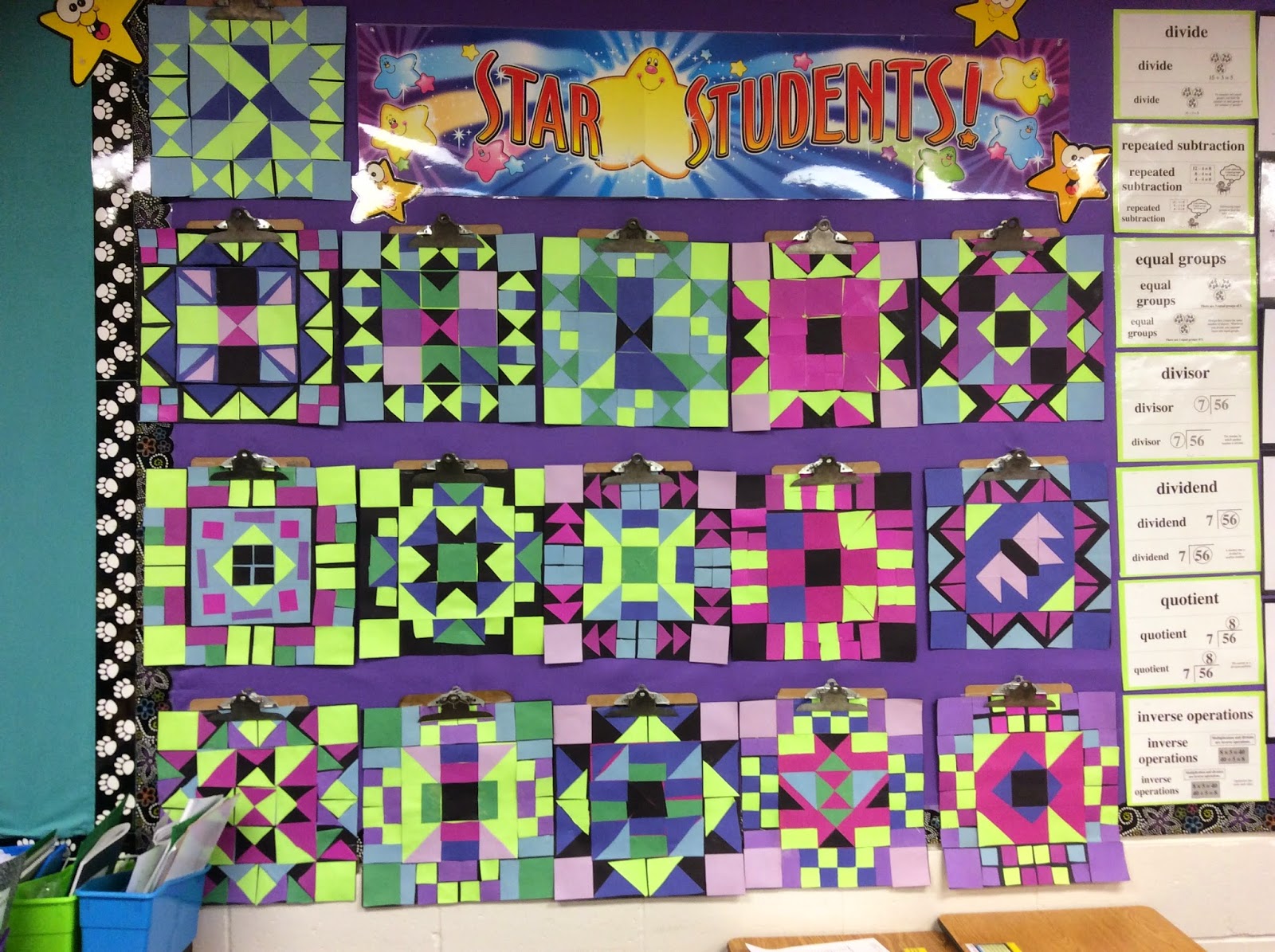
After the topic was introduced to the students, the project began with work in art class. The task was to create a paper quilt using symmetry. They began by creating a border for their paper quilt in art class with Mr. Scholten following these steps.

The students:
  1. Created one strip that was then folded in half, which created a line of symmetry.
  2. Glued shapes down that were congruent on each side.
  3. Created three more strips that were congruent to the first.
  4. Rotated two of the border pieces up then translated one to the top to form a square.
  5. Created a center design that also used lines of symmetry. (Within the center they had to use rotation, reflection and translation.)

They also practiced fractions using three by three inch squares that they could cut into halves or fourths creating squares, rectangles and triangles. While making the quilts, you could hear all of the vocabulary words floating around the room.

Now, these turned out beautiful, but how does Mrs. Klone know if they grasped the concept of all of the vocabulary words above? She decided to listen to the students-literally, listen to them tell her what they know. Time? That process would take too long to have each student come up to her desk and provide a narrative of their learning. So she had her students use her classroom set of iPads to accomplish this task. Students embarked on an app smashing project using the camera, and the apps Tellagami and iMovie.

These are the steps they used to complete their app-smash. Students
  1. Took a picture of their quilt using the iPad’s camera.
  2. Launched the Tellagami app and created an avatar.
  3. Inserted the image of their quilt as the background.

Mrs. Klone gave the students  questions that they were to answer about their quilt. The questions pertained to the vocabulary words heard floating around the room throughout the project and how they related to each individual quilt.

Next, students

  1. Recorded their own voice answering the questions to show understanding of the concepts taught and using key vocabulary words from the unit.
  2. Brought the Tellagami videos into iMovie and added some unique touches. Many students even decided to add a video recording of their thoughts to the end of their movie.

Lastly, the videos were uploaded to a playlist in YouTube and the playlist was shared with parents, grandparents and people all over. Below are a few of the student examples.


As some of the students mentioned in their movies, they felt that this activity truly helped them learn about symmetry. By involving the students, in the learning and reflecting pieces of this project, they took ownership and were sure to produce a quality product that they were proud of sharing. Hearing their voice sharing what they learned is very powerful. And if we remember back to the quote by Benjamin Franklin….involve me and I learn.
Written by Jeanette Carlson and Bethany Klone

Friday, October 18, 2013

Is iMovie Really Just a Movie?


One of our most beloved apps on the iPad is Apple’s own iMovie.  And guess what?  Our students love it too!  In fact, we use it with all grade levels.  Sometimes I think people have a misunderstanding of the educational value of iMovie.  Yes, it can be used to create a video of a recent trip, a birthday party, or any celebration, but one of my favorite ways to use it in the classroom is the iMovie trailer feature.   


iMovie trailers have great features that demand thoughtful planning by its producer(s).  It encourages collaboration, planning of video shots, and catchy storytelling.  To make a good iMovie trailer, basic writing conventions, and narrative writing skills must be used.  Furthermore, analysis of content, organization of materials and ideas, and editing skills are used throughout the project.  Students feel empowered by the outcome of their projects and shine in the process of creating a trailer.  


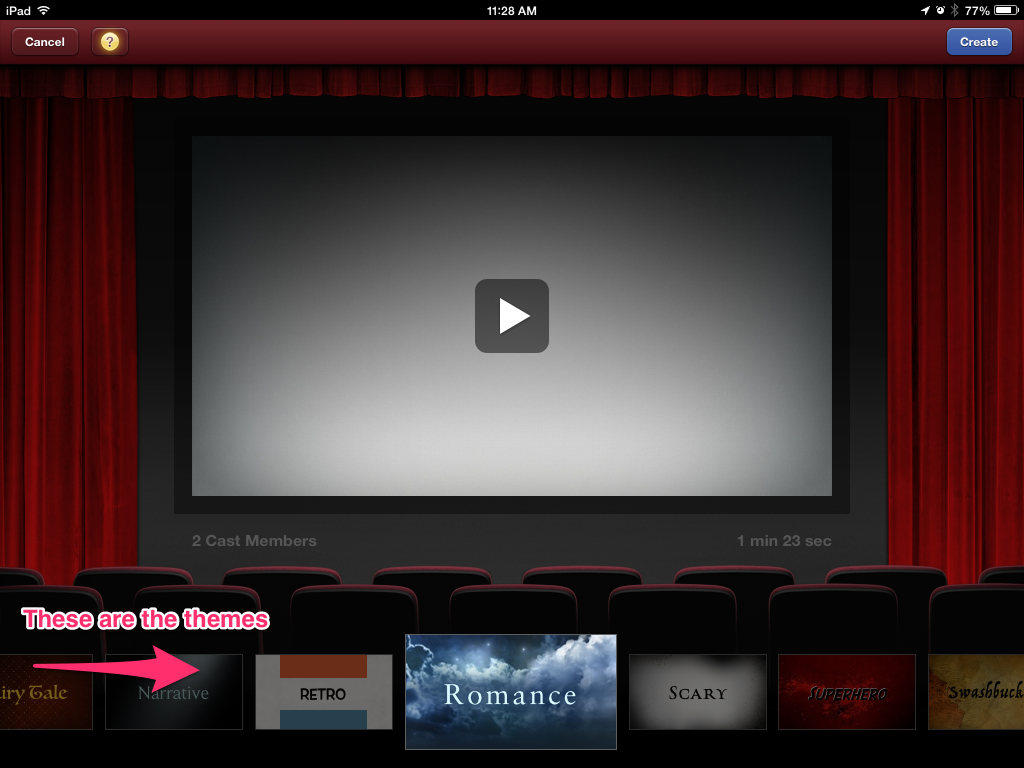
iMovie gives kids choices of themes to use and they always look professional and impressive when they are done.  
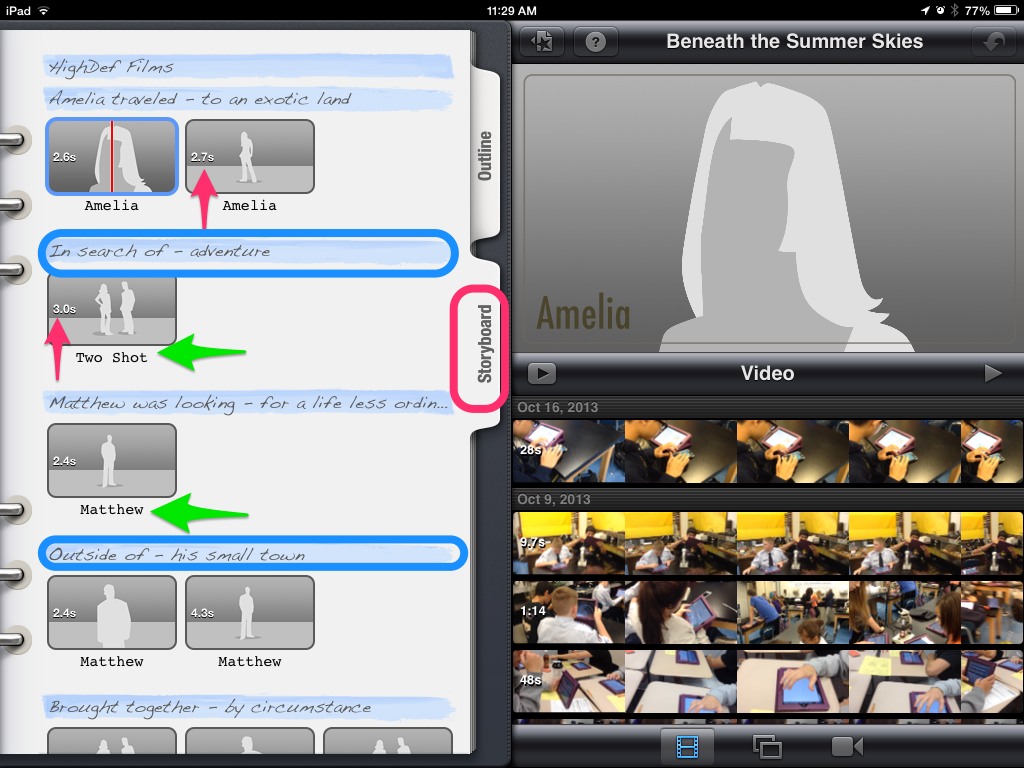
Creating a good iMovie trailer demands that students are thoughtful about the video material they record.  For example, some shots need to be in a wide landscape mode.  Other video shots need to have two people in it to be most effective.  The storyboard below dictates what kinds of shots and how long the shots need to be for their best movie trailer.  I also like the catchy openers identified in blue below.  These phrases can be edited to go with the story.  Here is a pdf iMovie trailer planner you can use before opening up the app.  


Sharing these trailers is easy to do as well because they are often no more than a minute and a half. Students can upload their movie trailers directly to YouTube or house them in their iTunes Library.  Using a gallery walk method with headphones and splitters are a great way to share the trailers your students made.  In this model, place the iPads around your room, preferably at tables, and plug in headphone splitters so that more than one person can listen to the video at a time.  Students love watching the videos together.  Compare this to our traditional Power Point Presentations some of us have had our kids create in the past.  We had to make time to present these.  This process can sometimes take up an entire week.  Using the Gallery Walk method is quick, easy, and engaging for everyone.  

If my enthusiasm for iMovie trailers isn’t convincing enough for you, how about we tie it to a couple of common core standard for insurance?  iMovie matches up to several of them, but I pulled a couple out for the post.  

CCSS.ELA-Literacy.CCRA.SL.2 Integrate and evaluate information presented in diverse media and formats, including visually, quantitatively, and orally.
CCSS.ELA-Literacy.CCRA.SL.5 Make strategic use of digital media and visual displays of data to express information and enhance understanding of presentations.

New technologies have broadened and expanded the role that speaking and listening play in acquiring and sharing knowledge and have tightened their link to other forms of communication. Digital texts confront students with the potential for continually updated content and dynamically changing combinations of words, graphics, images, hyperlinks, and embedded video and audio. From www.corestandards.org

Using the app iMovie gives students a creative platform in which to communicate ideas, analyze materials, collaborate, and edit written work.  Goodbye Power Points, hello amazing trailers and happy students!  

Written by Jennifer Krzystowczyk

                                       @jennykbps